Please use the Studio menu's Contact window to send an email to Support.
A report which helps us helping you will be generated.
You can attached it to your email message.

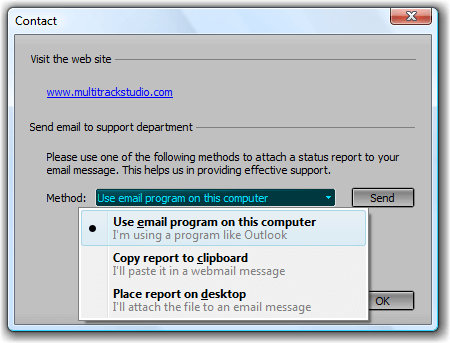
By default the report is copied to the clipboard, and you can paste it in an email message. Alternatively the report can be saved to the desktop and you can attach it.
If you're on Windows and you're using an email program like Outlook you can choose "Use email program on this computer" and the report will be attached to a new email message automatically.
If you can't use any of these methods you can mail to support@multitrackstudio.com.
Found a bug? Please report it, so we can fix it!
Suggestions or wishes regarding MultitrackStudio? Please let us know!