Multitrack Editing
Note: this feature is available in the Pro edition only.Using the Multitrack Editor, multiple tracks can be edited simultaneously. The Multitrack Editor is available from the Editing Options menu. You can choose to show tracks of a certain color, tracks that have their editor opened or all tracks.
Hint: Use the Song Editor if you want to edit all tracks including tempo, automation and markers etc.
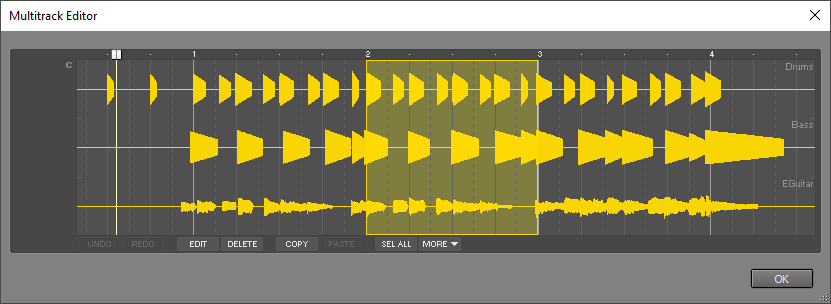
The Multitrack Editor works just like a track editor. It features all common track editor buttons except Export. The Multitrack Editor's Edit Control's features depend on the types of the tracks being edited. The control can be an Audio Edit Control, a MIDI Edit Control or one that contains just a Volume fader and Fade, Reverse and Transpose options.
The Multitrack Editor can't be used while the transport is running.